Deploying
This project is hosted on Render, which offers a free and simple way to host a web app with a single service.
Deploy with Render
To deploy the app on Render, follow this procedure:
Create a new Web Service
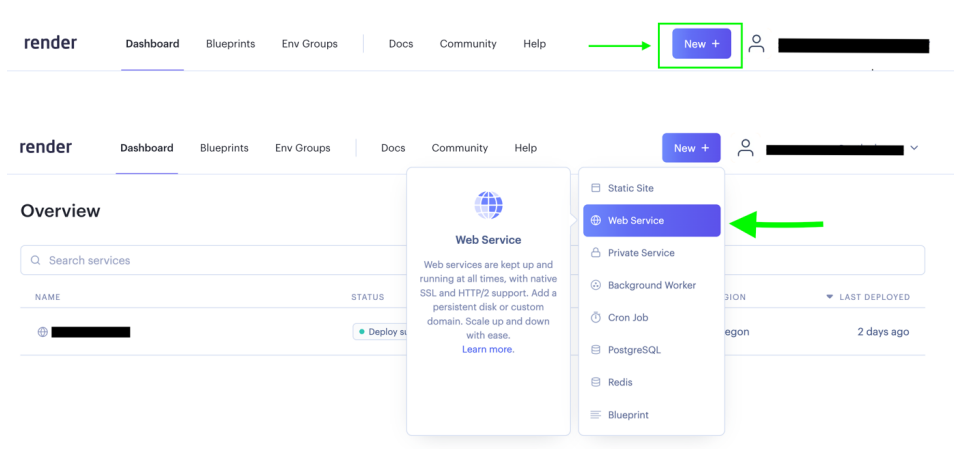
Build and deploy from a Git repository
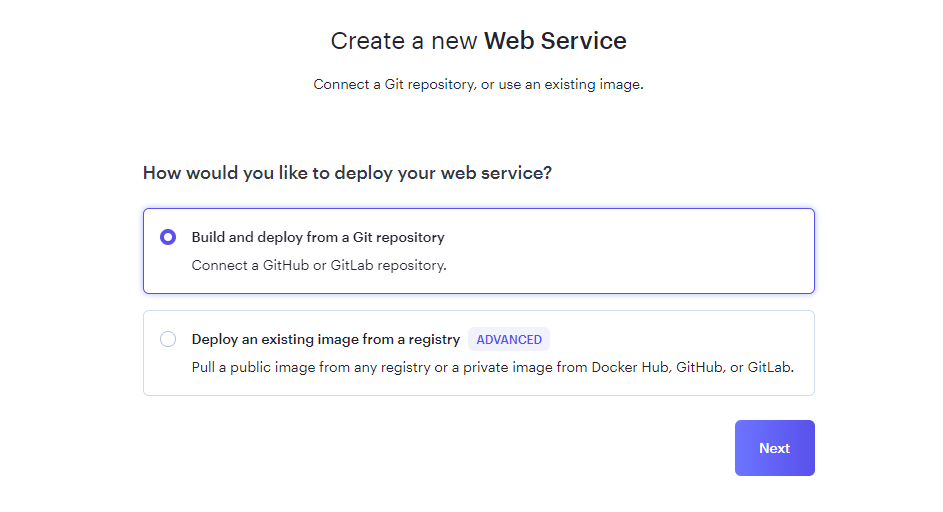
Connect a repository
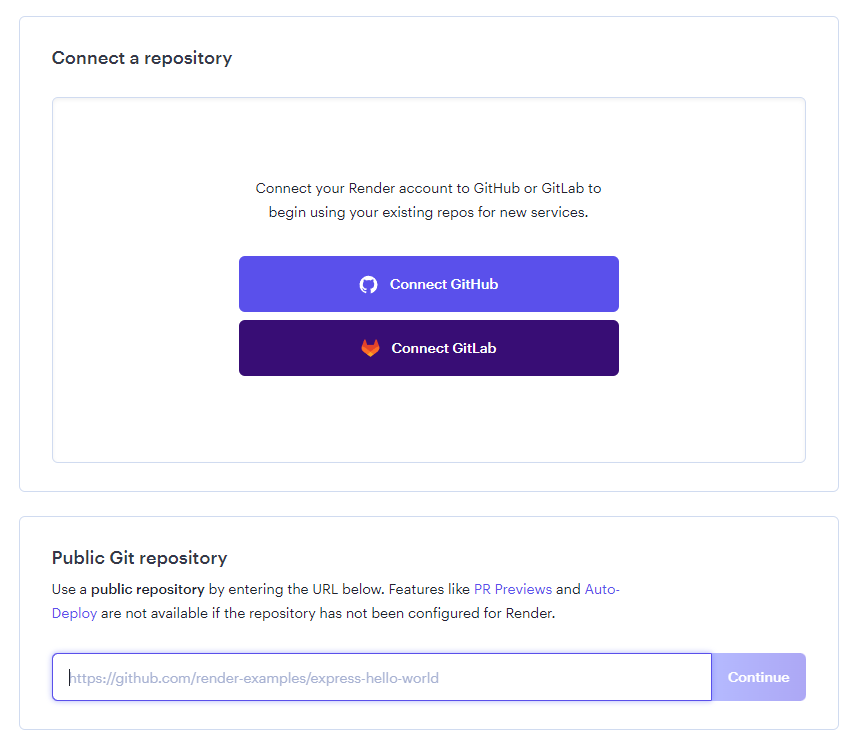
Connect to GitHub / GitLab, or provide the URL of your public repository.
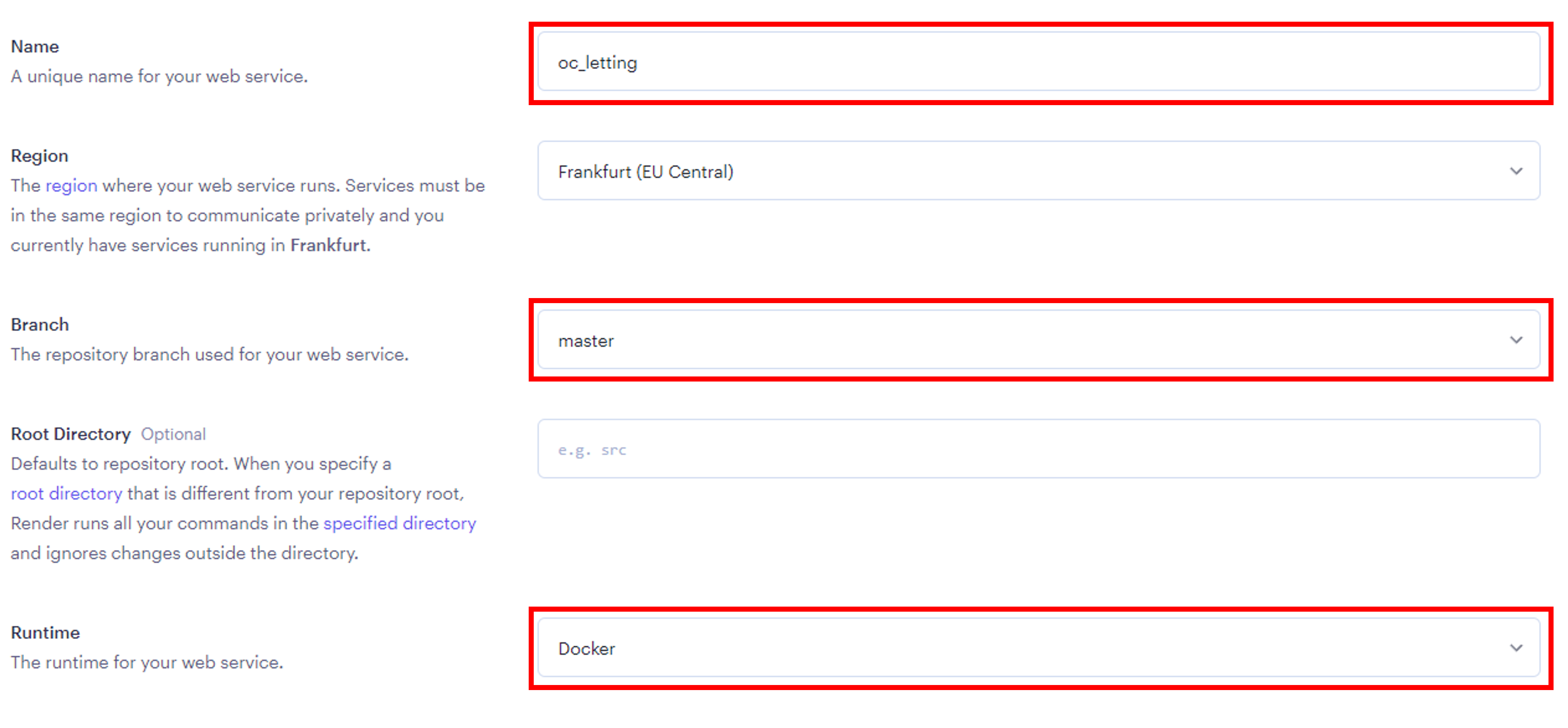
Configure the Web Service
Specify the name of the project, the main branch of the project’s repository, and the runtime as Docker.
Configure necessary environment variables
See this section for more details about the necessary environment variables.

Configure Docker
Specify the relative path of the Dockerfile and disable auto-deploy.
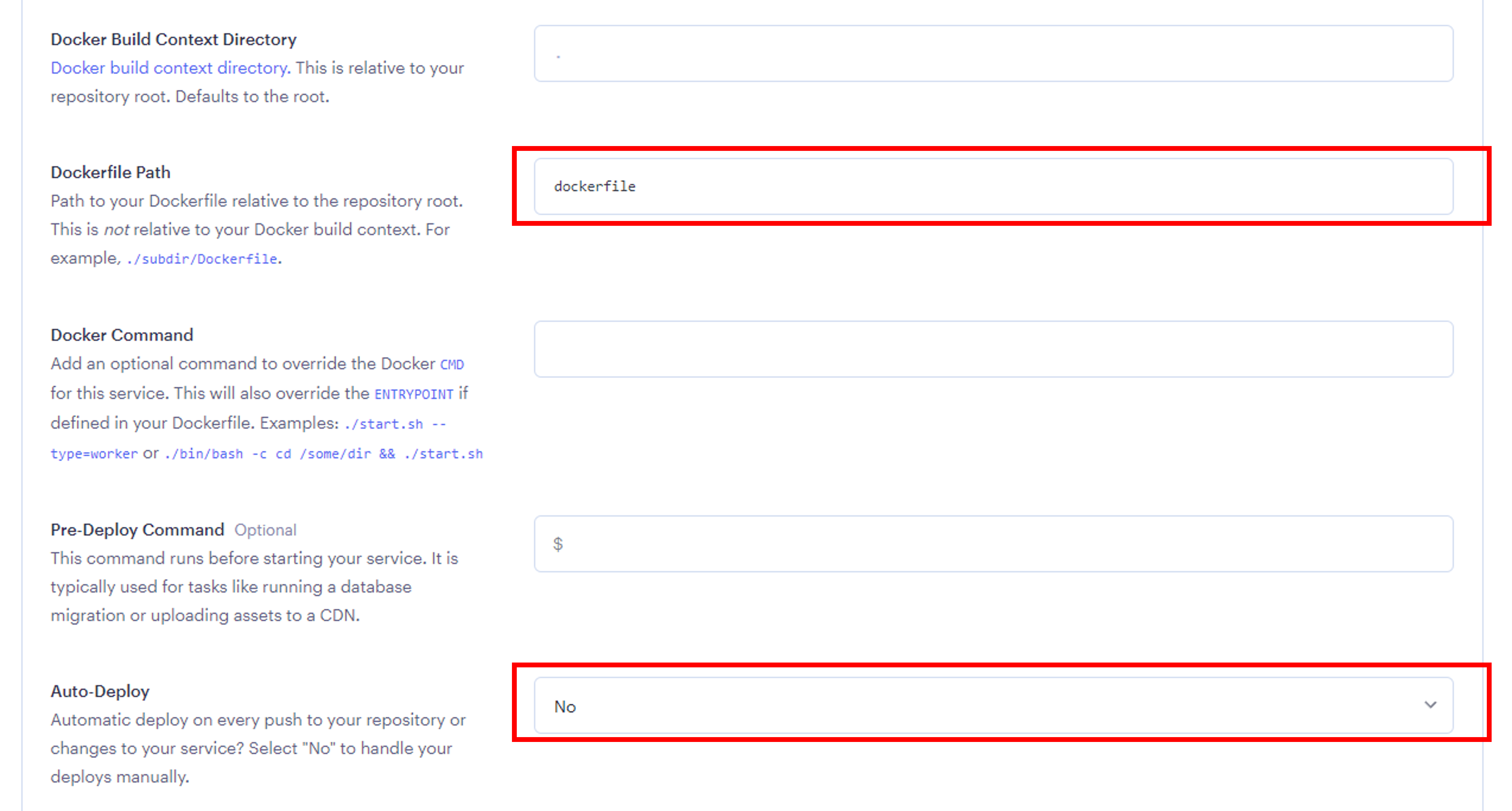
Deploy the website by clicking on the dedicated button at the bottom of the page.
Administrate with Render
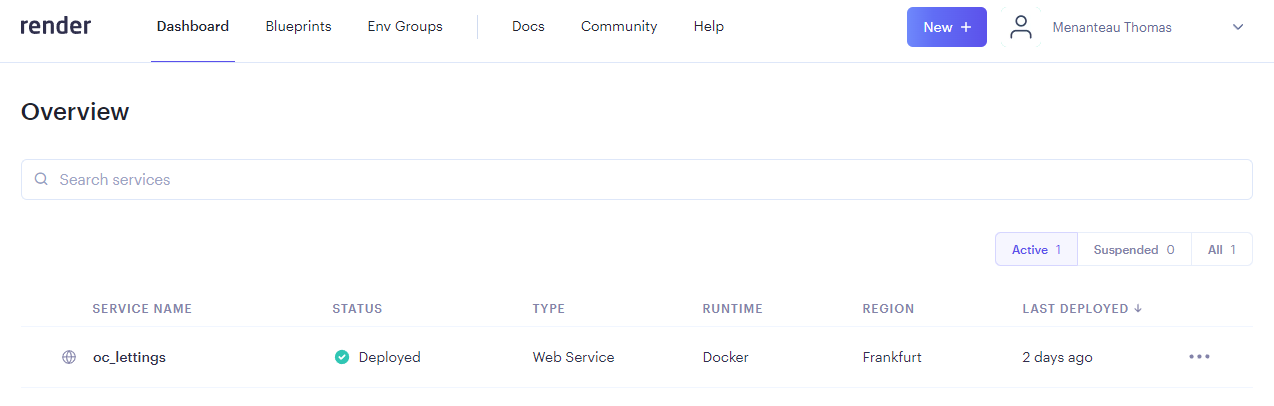
Once the website is deployed, it will become available in your dashboard:
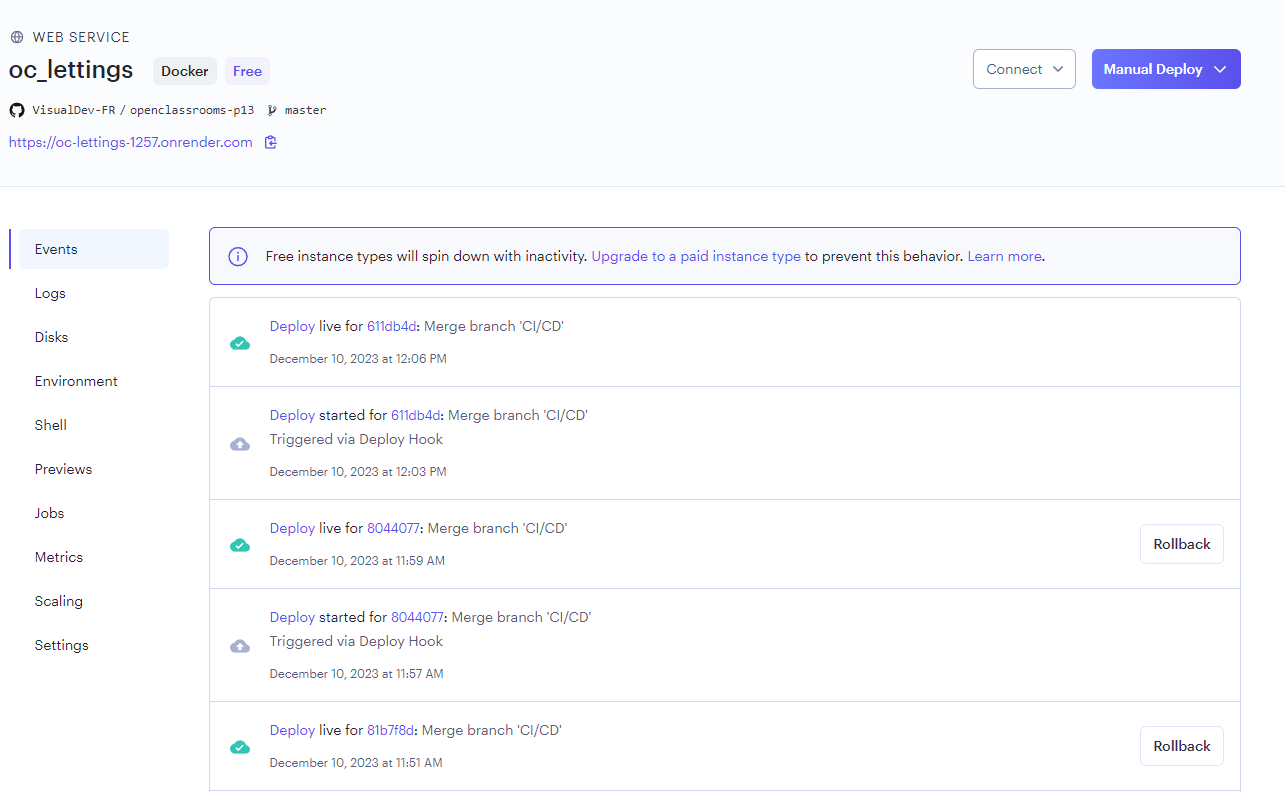
Then, you’ll have access to the administration panel of Render, offering you the possibility to administate the deployed website:
Automate the Deployment
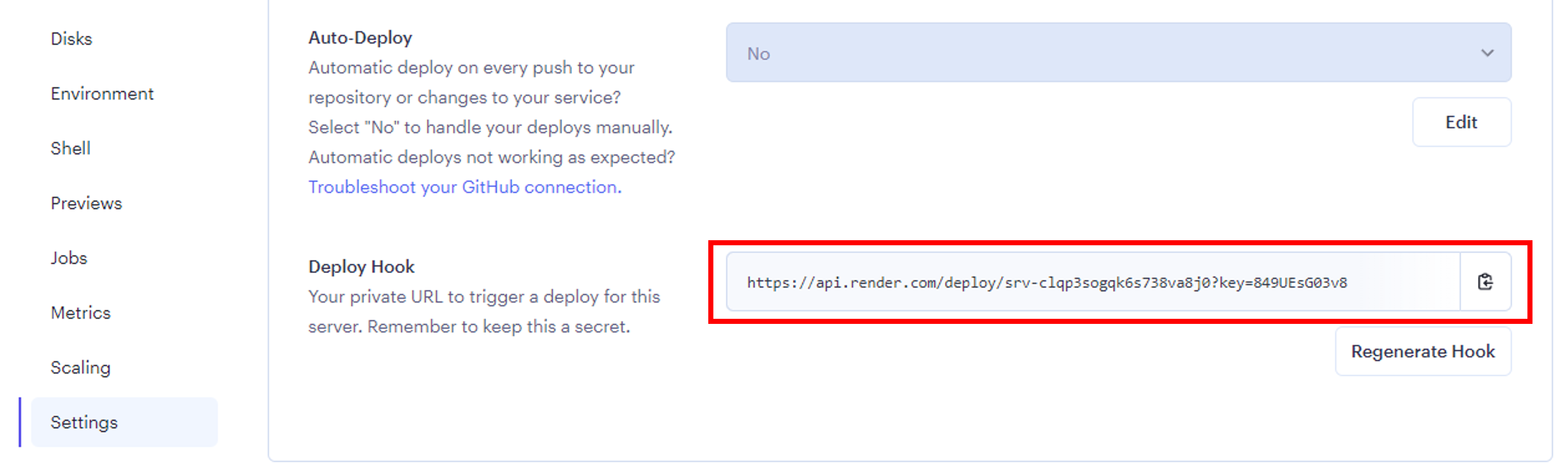
To relaunch automated deployment from an external service (such as a CI/CD pipeline), you’ll need to get a Deploy hook, which is a URL to make requests to, in order to tell Render to relaunch the deployment of the website from your repository.
To get the webhook, go to Settings / Build and Deploy and copy the URL in the “Deploy hook” section:
Warning
Ensure to keep the URL secret.
Then, to relaunch the build and deployment of your app, just send a request to the given deploy hook:
curl https://deploy/hook/url